
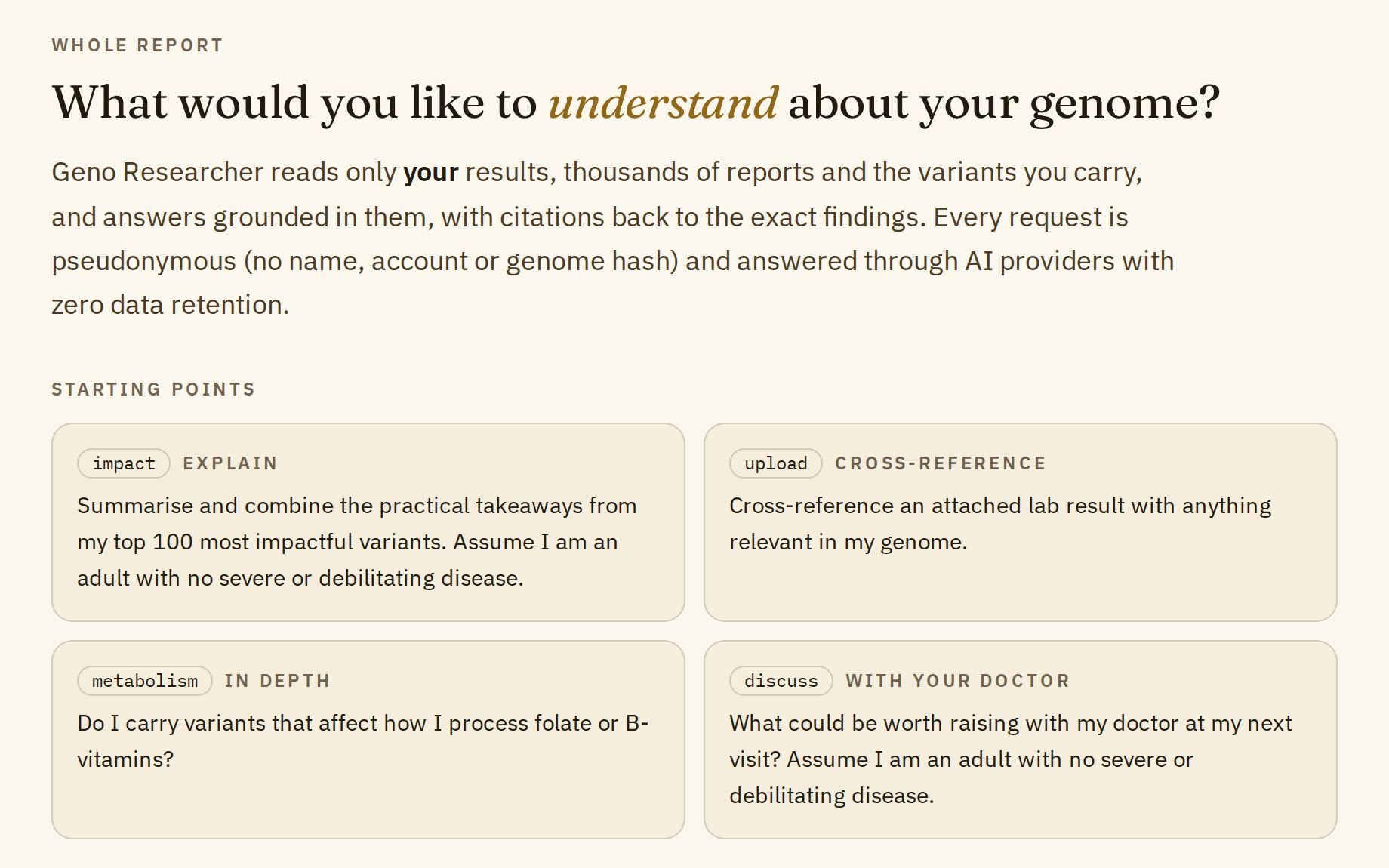
Geno Researcher is an AI assistant that answers questions about your own genetic report. Ask in your own words, and it looks through your report for the variants that matter to the question, then answers from them and lists the findings it used.
You can also attach a lab test or a doctor's letter as a PDF and ask how it relates to your report. There's a real example of that further down.
It's included when you unlock all your reports. It explains and connects what your report already contains. It doesn't diagnose or prescribe.
Starting points
If you're not sure where to begin, the page offers four ready-made questions. Click one to put it in the question box, change anything you like, then send it.
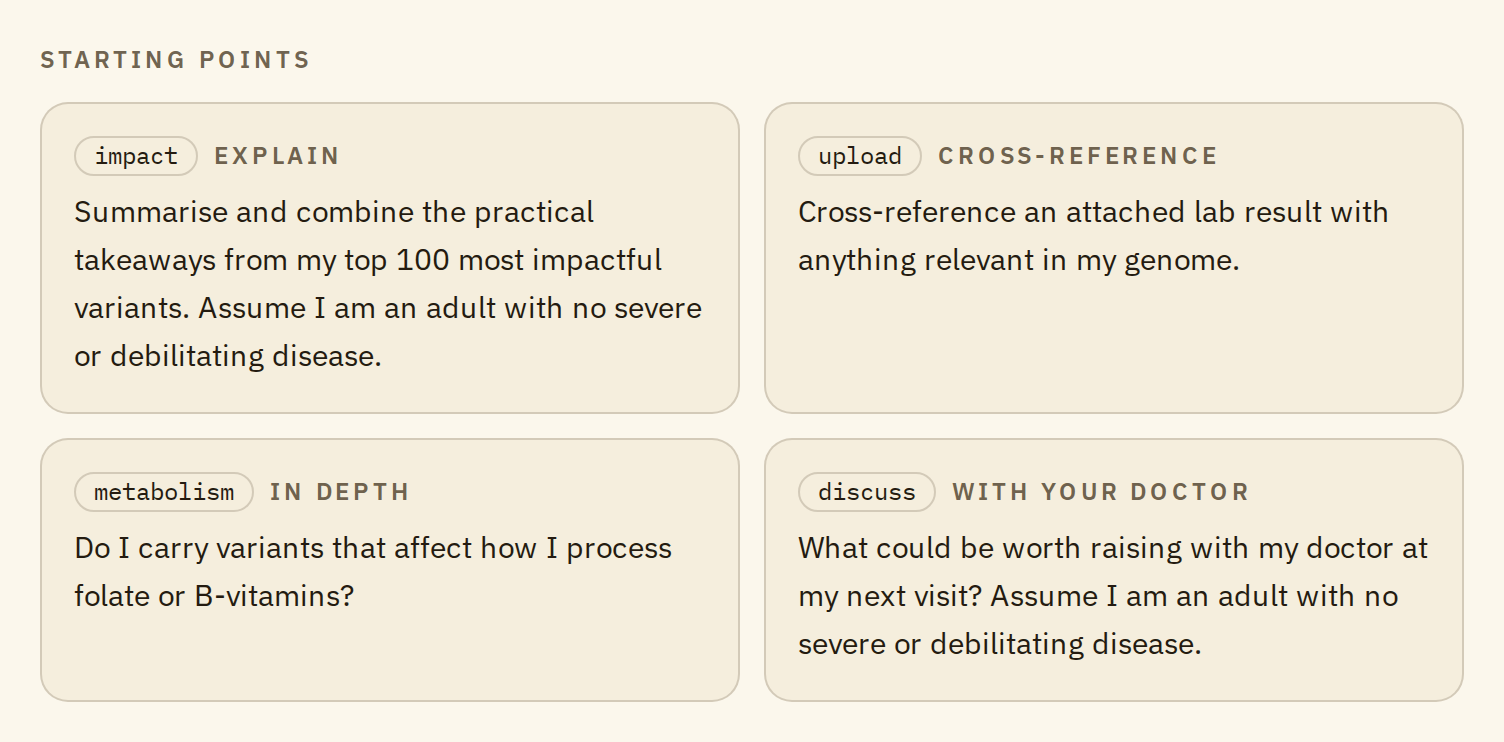
- Explain: sums up the practical takeaways from your 100 highest-impact variants. A good first question.
- Cross-reference: goes with an attached lab result and looks for anything in your genome that relates to it.
- In depth: a focused question, here about folate and B vitamins. Swap in any topic you care about: caffeine, iron, a medicine you take.
- With your doctor: a short list of things that could be worth bringing up at your next visit.
Two of them say "Assume I am an adult with no severe or debilitating disease." Change that sentence if it doesn't fit you; the answer will take it into account.
Asking your own question
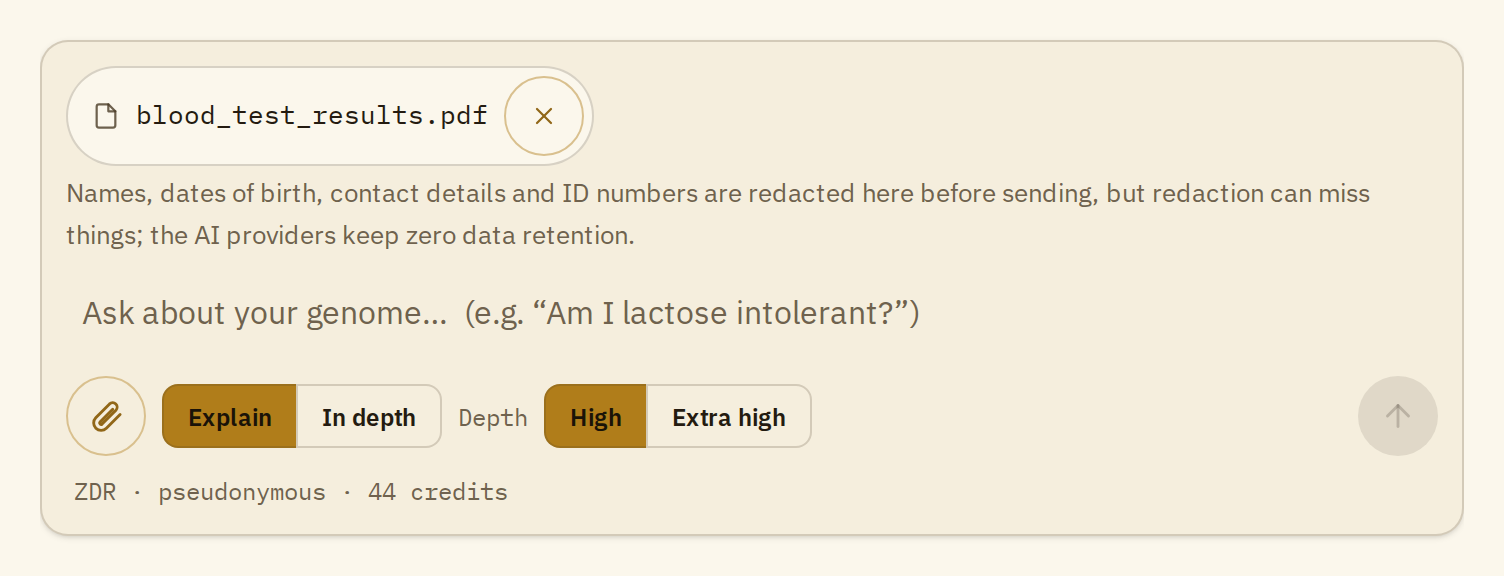
Under the question box you choose two things:
- Explain or In depth. Explain gives you a plain-language answer about what the findings mean for you. In depth goes further and connects the findings to each other.
- Depth: High or Extra high. This is how much of your report it reads before answering. High reads up to 25 matching findings, plus your highest-impact entries when the question is about your whole report. Extra high reads up to 50. It's slower and uses more credits, so keep it for broad questions.
You can ask follow-up questions in the same conversation, and keep several conversations going while you're logged in. Each new question carries up to the last five questions and answers of the conversation, so follow-up questions use more credits than the first one, up to the fifth. For a new topic, start a new conversation.
Tips for a good question
- Name the thing you're curious about. A gene, an rsID, a trait or a condition, in plain words: "lactose", "caffeine", "LDL cholesterol". It finds your highest-impact findings on its own, but smaller ones only turn up when your question uses the words the report uses.
- One topic per question. Ask about iron, then ask about vitamin D. Follow-up questions are for going deeper on the same topic.
- Say what you want back. An overview, a short list, the top 20 findings, or what to ask your doctor.
- Add context that changes the answer. For example "I don't drink alcohol" or "I'm vegetarian". Leave out names, dates of birth and anything else that identifies you: the question is sent as you type it.
Using it with a lab test
Click the paperclip, choose a PDF (a blood test, a scan report, a letter from your doctor), and ask your question. Before anything leaves our server, names, dates of birth, contact details and ID numbers are removed from the text. That removal is automatic and can miss things, so if you can, remove your name and other personal details from the PDF before attaching it. A document can be up to 10 MB, 50 pages and 24,000 characters of text; anything larger is refused. That's roughly 8 pages of plain text, so for a long document attach just the pages that matter.
Here's a real example from the demo report. The question was the Cross-reference starting point, with an attached MRI review written 45 days after surgery for a brain abscess.
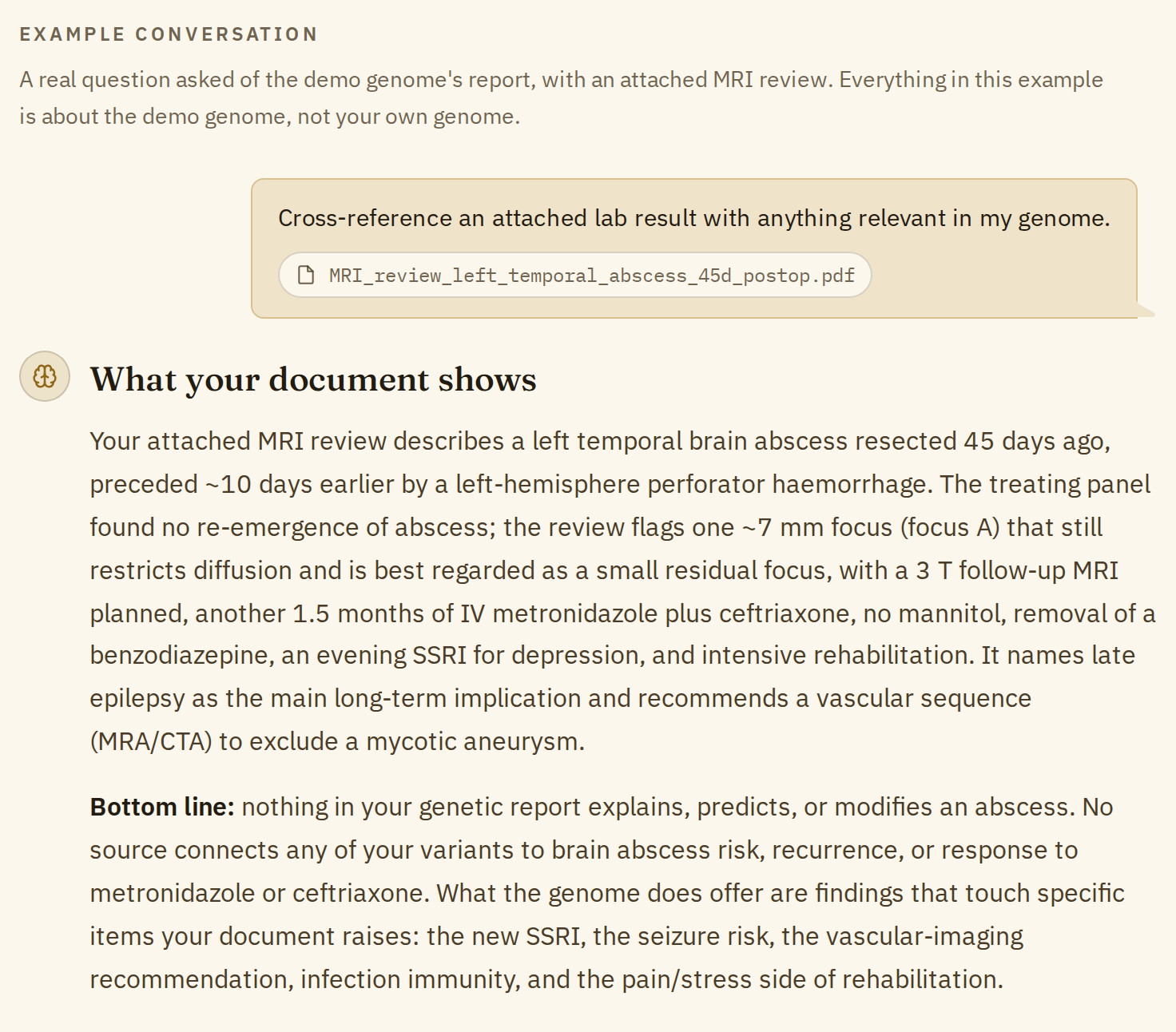
The answer starts by summing up what the document says, so you can check it read the document correctly. Then it's straight about the limits: nothing in the genetic report explains or predicts an abscess, and no variant is linked to how it will heal or respond to the antibiotics.
After that it goes through the points in the document that the genome does touch:
- Infection defenses: a variant for a protein of the innate immune system is the fully working, common form.
- The new antidepressant the review mentions: what research reports about four variants in a gene that affects how much of some antidepressants reaches the brain. Read together, they point to a standard response. Never change a medication without talking to your prescriber.
- Seizure risk: the review names late epilepsy as the main long-term risk. The epilepsy-related variants in the report don't add to it; the risk comes from the injury itself.
- The vascular scan the review recommends: two variants with modest links to brain aneurysms in studies, which is useful context for the scan the doctors already asked for.
Under the answer, "Sources" lists every variant it used. Each one opens that variant in your full report, so you can read the summary behind each point. Answers like this one are written for a conversation with your doctor, not to replace it.
Saving an answer
Under every answer there are two buttons: "Export to PDF" and "Copy". Conversations are erased when you log out, so save the answers you want to keep or take to your doctor. What you save stays on your device.
What it won't do
- Look outside your report. It answers only from your report and the document you attach. It doesn't search the web or other databases, and when your report doesn't cover something, it says so instead of guessing.
- Diagnose or prescribe. It explains what your report says and reminds you to discuss decisions with your doctor.
- Answer unrelated questions. An automatic check runs before every question and turns down anything that isn't about your genetic report, or that tries to change how the assistant works. It also turns down an attached document with instructions aimed at an AI written into it. A refused question is fully refunded.
- Answer in other languages. For now it answers in English only.
How your data is kept private
Your questions don't carry your identity. We never send your name, email, account, genome hash or raw DNA file with them. For each question, the AI receives:
- your question, as you typed it, and the last five questions and answers of the conversation;
- the entries of your report that match it: each variant's ID without your genotype, its impact score and the explanatory text you read on the site;
- your sex, as inferred from your DNA, so it doesn't give prostate advice to women or breast advice to men;
- the text of an attached document, with personal details removed.
That's pseudonymous, not anonymous. The explanatory text still describes your genotype, so it's genetic data about you even without a name on it.
Attached files are deleted within minutes. We remove names, dates of birth, addresses, contact details and ID numbers from the text, delete the file once your answer is ready, and never send the file name. The removal is automatic and can miss unusual layouts, so take out anything you wouldn't want sent before attaching, and keep personal details out of the question itself.
The AI providers don't store your questions. Questions only go to AI providers that work under zero data retention: they process the request to write the answer, then discard it, and don't train on it. They may be outside the EU.
Conversations last as long as your login. They're erased when you log out, after 6 hours without activity, or when you delete them. Anything you copy or save from an answer stays on your device.
The FAQ has the full details.
Credits
Unlocking all your reports, one payment of €24 plus VAT, includes 50 Geno Researcher credits. A typical question uses about 3, so that's around 15 questions. Extra high depth, attached documents and long conversations use more. The counter under the question box shows what's left.
If you erase your data when you log out, your remaining credits stay with your paid access.
One more thing
Geno Researcher's answers are written by AI. They may contain mistakes, so check anything important against the findings it lists. Think of it as an interesting starting point for a conversation with a qualified clinician. It's not medical advice.